


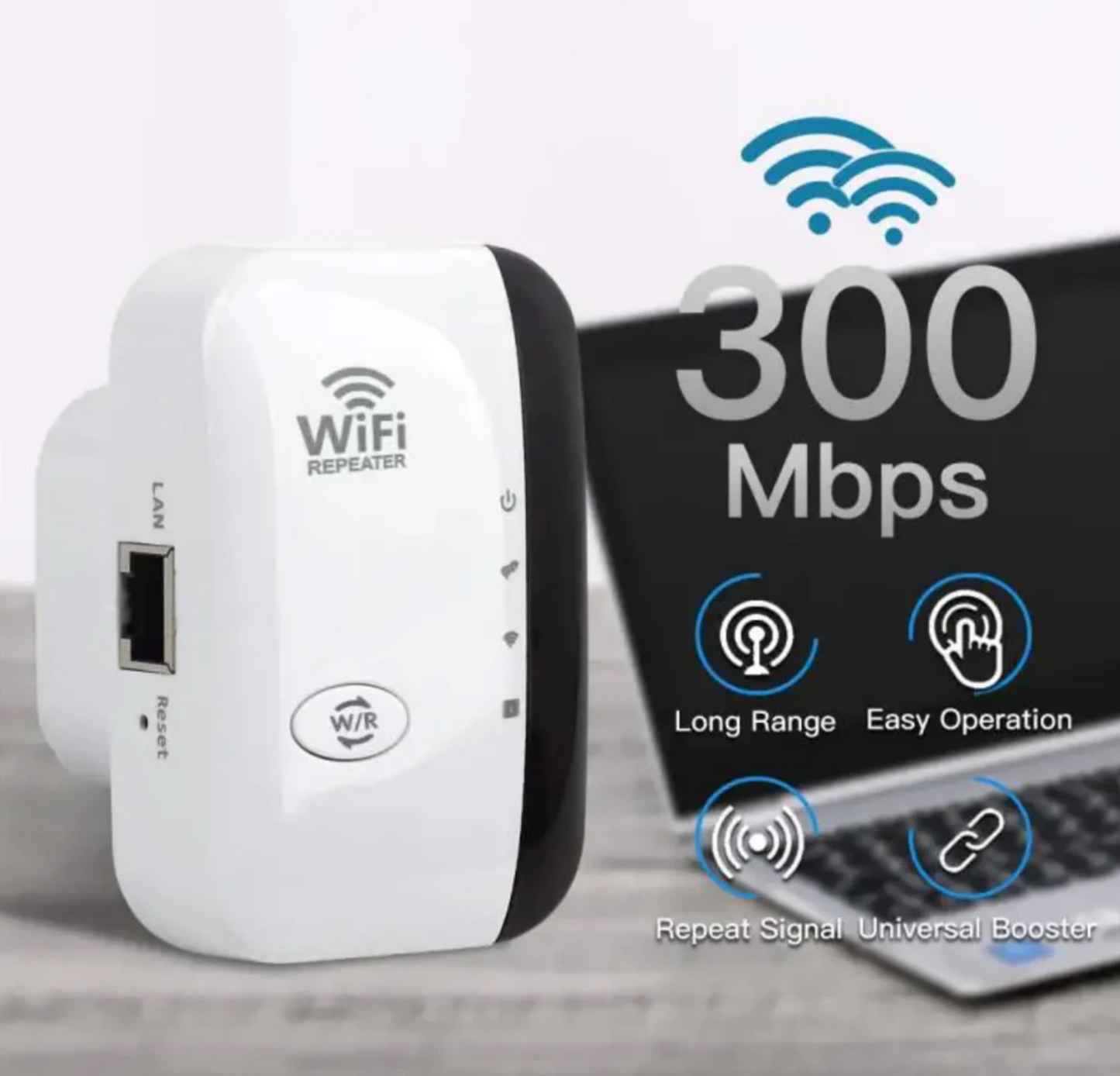
Your house doesn't have
a WiFi problem. It has a signal problem.
ZeroPing Pro plugs into any outlet and pushes your existing network into every corner it never reached — no app, no router login, no call to your ISP.

Plug it in. Watch the bars fill back in.
No dashboards, no firmware updates, no waiting on hold with your provider. ZeroPing Pro grabs your existing WiFi and rebroadcasts it further, stronger, into the rooms your router was never built to reach.
- Reads your network automatically — no manual config
- Compatible with any router or modem you already own
Four things cheap extenders skip.
Most dead-zone fixes are either underpowered plastic or a $300 mesh subscription you didn't ask for. ZeroPing Pro sits in the middle — real hardware, real range, zero setup friction.
Actual LAN Port
Hardwire a smart TV, console, or desktop directly for a rock-solid connection — most extenders in this price range skip this entirely.
True One-Button Pairing
Press WPS on your router, press WPS on ZeroPing Pro. Connected. No app download, no account, no login screen.
Long-Range Signal Class
Engineered to push signal through walls and floors, not just extend it across an open room.
Works With Every Router
ISP-issued gateway, five-year-old router, brand-new mesh node — ZeroPing Pro rebroadcasts any of them.
Thirty seconds, start to finish.
No manual required. Plug ZeroPing Pro into an outlet halfway between your router and the dead zone, hold WPS for three seconds, and the status LEDs tell you exactly when it's locked on.
Built like hardware, not a gadget.
The kind of specs you'd expect to read off a router box, not a viral ad.
The room that used to have zero bars.
Basements, garages, back bedrooms, backyard patios — the spaces where a router's signal quietly gives up. That's the exact gap ZeroPing Pro is built to close.
- Status LEDs confirm signal strength at a glance
- No permanent install — move it outlet to outlet anytime
Three steps. That's the whole manual.
Plug in
Choose an outlet roughly halfway between your router and the dead zone.
Press WPS
Hold the WPS button on ZeroPing Pro, then on your router, within two minutes of each other.
Connected
The NC light turns solid green. Your extended network shows up under the same WiFi name.
Compact enough to disappear behind furniture.
A low-profile shell that plugs flush into any standard outlet — no dangling cord, no bulky brick blocking the second socket.
Small footprint. Full coverage.
Before you plug it in.
Yes. ZeroPing Pro connects to any existing router or gateway — cable, fiber, or ISP-issued — through standard WPS pairing or manual network selection. It doesn't replace your router, it extends it.
No. Setup is handled entirely on the device itself through the WPS button and status LEDs. There's no companion app, login, or cloud account required to get connected.
Range depends on your home's layout and wall materials, but it's engineered to push signal through the kind of obstacles — floors, framing, brick — that stop a typical router's broadcast. Placement halfway between your router and the dead zone gives the strongest result.
Yes — the built-in LAN port lets you run an ethernet cable straight to a smart TV, console, or desktop for a more stable, lower-latency connection than WiFi alone.
Try a different outlet closer to the midpoint between router and dead zone first — placement is the single biggest factor in performance. If it's still not resolving your coverage gap, our support team will help troubleshoot placement and settings.
What changed after plugging it in.
Stop walking around your house looking for bars.
One outlet. One button. Every room, covered.